為你的 Next.js (Pages Router) 應用程式新增驗證 (Authentication)
- 範例專案可在我們的 SDK repository 中找到。
- 此範例基於 Next.js 的 Pages Router。
先決條件
- 一個 Logto Cloud 帳戶或 自託管 Logto。
- 一個已建立的 Logto 傳統應用程式。
安裝
透過你喜愛的套件管理器安裝 Logto SDK:
- npm
- pnpm
- yarn
npm i @logto/nextpnpm add @logto/nextyarn add @logto/next整合
初始化 LogtoClient
匯入並初始化 LogtoClient:
import LogtoClient from '@logto/next';

export const logtoClient = new LogtoClient({
  appId: '<your-application-id>',
  appSecret: '<your-app-secret-copied-from-console>',
  endpoint: '<your-logto-endpoint>', // 例如:http://localhost:3001
  baseUrl: 'http://localhost:3000',
  cookieSecret: 'complex_password_at_least_32_characters_long',
  cookieSecure: process.env.NODE_ENV === 'production',
});
配置重定向 URI
在進入細節之前,這裡先快速說明一下終端使用者的體驗。登入流程可簡化如下:
- 你的應用程式呼叫登入方法。
- 使用者被重新導向至 Logto 登入頁面。對於原生應用程式,會開啟系統瀏覽器。
- 使用者登入後,會被重新導向回你的應用程式(設定為 redirect URI)。
關於基於重導的登入
- 此驗證流程遵循 OpenID Connect (OIDC) 協議,Logto 強制執行嚴格的安全措施以保護使用者登入。
- 如果你有多個應用程式,可以使用相同的身分提供者 (IdP, Identity provider)(Logto)。一旦使用者登入其中一個應用程式,Logto 將在使用者訪問另一個應用程式時自動完成登入流程。
欲了解更多關於基於重導登入的原理和優勢,請參閱 Logto 登入體驗解析。
在以下的程式碼片段中,我們假設你的應用程式運行在 http://localhost:3000/。
配置重定向 URI
切換到 Logto Console 的應用程式詳細資訊頁面。新增一個重定向 URI http://localhost:3000/api/logto/sign-in-callback。
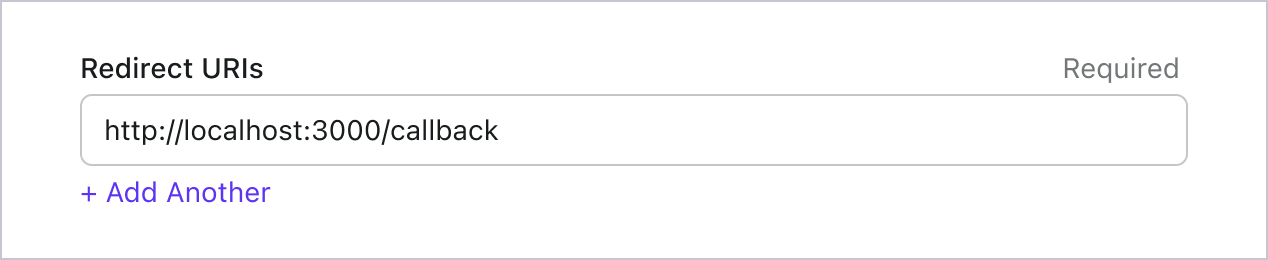
就像登入一樣,使用者應被重定向到 Logto 以登出共享會話。完成後,將使用者重定向回你的網站會很不錯。例如,將 http://localhost:3000/ 新增為登出後重定向 URI 區段。
然後點擊「儲存」以保存更改。
準備 API 路由
準備 API 路由 以連接 Logto。
回到你的 IDE/編輯器,使用以下程式碼先實作 API 路由:
import { logtoClient } from '../../../libraries/logto';

export default logtoClient.handleAuthRoutes();
這將自動建立 4 個路由:
/api/logto/sign-in:使用 Logto 登入。/api/logto/sign-in-callback:處理登入回呼。/api/logto/sign-out:使用 Logto 登出。/api/logto/user:檢查使用者是否已通過 Logto 驗證,如果是,則返回使用者資訊。
實作登入與登出
我們已準備好 API 路由,現在讓我們在你的主頁中實作登入與登出按鈕。我們需要在需要時將使用者重定向到登入或登出路由。為此,使用 useSWR 從 /api/logto/user 獲取驗證狀態。
查看此指南以了解更多關於 useSWR 的資訊。
import { type LogtoContext } from '@logto/next';
import useSWR from 'swr';

const Home = () => {
  const { data } = useSWR<LogtoContext>('/api/logto/user');

  return (
    <nav>
      {data?.isAuthenticated ? (
        <p>
          你好, {data.claims?.sub},
          <button
            onClick={() => {
              window.location.assign('/api/logto/sign-out');
            }}
          >
            登出
          </button>
        </p>
      ) : (
        <p>
          <button
            onClick={() => {
              window.location.assign('/api/logto/sign-in');
            }}
          >
            登入
          </button>
        </p>
      )}
    </nav>
  );
};

export default Home;
檢查點:測試你的應用程式
現在,你可以測試你的應用程式:
- 執行你的應用程式,你會看到登入按鈕。
- 點擊登入按鈕,SDK 會初始化登入流程並將你重定向到 Logto 登入頁面。
- 登入後,你將被重定向回應用程式並看到登出按鈕。
- 點擊登出按鈕以清除權杖存儲並登出。
獲取使用者資訊
顯示使用者資訊
當使用者登入後,有三種方式可以獲取使用者資訊。
透過前端的 API 請求
import { type LogtoContext } from '@logto/next';
import { useMemo } from 'react';
import useSWR from 'swr';

const Home = () => {
  const { data } = useSWR<LogtoContext>('/api/logto/user');

  const claims = useMemo(() => {
    if (!data?.isAuthenticated || !data.claims) {
      return null;
    }

    return (
      <div>
        <h2>宣告 (Claims):</h2>
        <table>
          <thead>
            <tr>
              <th>名稱</th>
              <th>值</th>
            </tr>
          </thead>
          <tbody>
            {Object.entries(data.claims).map(([key, value]) => (
              <tr key={key}>
                <td>{key}</td>
                <td>{String(value)}</td>
              </tr>
            ))}
          </tbody>
        </table>
      </div>
    );
  }, [data]);

  return (
    <div>
      {claims}
    </div>
  );
};

export default Home;
透過 getServerSideProps
import { LogtoContext } from '@logto/next';
import { logtoClient } from '../../libraries/logto';

type Props = {
  user: LogtoContext;
};

const Home = ({ user }: Props) => {
  const claims = useMemo(() => {
    if (!user.isAuthenticated || !user.claims) {
      return null;
    }

    return (
      <div>
        <h2>宣告 (Claims):</h2>
        <table>
          <thead>
            <tr>
              <th>名稱</th>
              <th>值</th>
            </tr>
          </thead>
          <tbody>
            {Object.entries(user.claims).map(([key, value]) => (
              <tr key={key}>
                <td>{key}</td>
                <td>{String(value)}</td>
              </tr>
            ))}
          </tbody>
        </table>
      </div>
    );
  }, [user]);

  return (
    <div>
      {claims}
    </div>
  );
};

export default Home;

export const getServerSideProps = logtoClient.withLogtoSsr(async function ({ request }) {
  const { user } = request;

  return {
    props: { user },
  };
});
在 API 路由中
import { logtoClient } from '../../libraries/logto';

export default logtoClient.withLogtoApiRoute((request, response) => {
  if (!request.user.isAuthenticated) {
    response.status(401).json({ message: 'Unauthorized' });

    return;
  }

  response.json({
    data: request.user.claims,
  });
});
請求額外的宣告 (Claims)
你可能會發現從 /api/logto/user 返回的物件中缺少一些使用者資訊。這是因為 OAuth 2.0 和 OpenID Connect (OIDC) 的設計遵循最小權限原則 (PoLP, Principle of Least Privilege),而 Logto 是基於這些標準構建的。
預設情況下,僅返回有限的宣告 (Claims)。如果你需要更多資訊,可以請求額外的權限範圍 (Scopes) 以存取更多宣告。
「宣告 (Claim)」是對主體所做的斷言;「權限範圍 (Scope)」是一組宣告。在目前的情況下,宣告是關於使用者的一部分資訊。
以下是權限範圍與宣告關係的非規範性範例:
「sub」宣告表示「主體 (Subject)」,即使用者的唯一識別符(例如使用者 ID)。
Logto SDK 將始終請求三個權限範圍:openid、profile 和 offline_access。
要請求額外的權限範圍 (Scopes),可以在初始化 Logto client 時配置參數:
import LogtoClient, { UserScope } from '@logto/next';

export const logtoClient = new LogtoClient({
  scopes: [UserScope.Email, UserScope.Phone], // 如有需要可新增更多權限範圍
  // ...其他配置
});
然後你可以在 context 回應中存取額外的宣告 (Claims):
const Home = () => {
  const { data } = useSWR<LogtoContext>('/api/logto/user');

  const email = data?.claims?.email;

  return (
    <div>
      {email && <p>電子郵件: {email}</p>}
    </div>
  );
};

export default Home;
需要網路請求的宣告 (Claims)
為了防止 ID 權杖 (ID token) 膨脹,某些宣告 (Claims) 需要透過網路請求來獲取。例如,即使在權限範圍 (Scopes) 中請求了 custom_data 宣告,它也不會包含在使用者物件中。要存取這些宣告,你可以配置 fetchUserInfo 選項:
import { logtoClient } from '../../../libraries/logto';

export default logtoClient.handleAuthRoutes({ fetchUserInfo: true });
fetchUserInfo,SDK 將在使用者登入後透過請求 userinfo 端點 來獲取使用者資訊,並且一旦請求完成,req.user.userInfo 將可用。
手動獲取使用者資訊
你可以在 API 路由中手動獲取使用者資訊:
import { logtoClient } from '../../libraries/logto';

export default logtoClient.withLogtoApiRoute(
  (request, response) => {
    if (!request.user.isAuthenticated) {
      response.status(401).json({ message: 'Unauthorized' });

      return;
    }

    response.json({
      userInfo: request.user.userInfo,
    });
  },
  { fetchUserInfo: true }
);
權限範圍 (Scopes) 與宣告 (Claims)
Logto 採用 OIDC 權限範圍 (Scopes) 與宣告 (Claims) 慣例 來定義從 ID 權杖 (ID token) 及 OIDC userinfo 端點 取得使用者資訊時的權限範圍與宣告。無論「權限範圍 (Scope)」還是「宣告 (Claim)」,皆為 OAuth 2.0 與 OpenID Connect (OIDC) 規範中的術語。
對於標準 OIDC 宣告 (Claims),其是否包含於 ID 權杖 (ID token) 內,完全取決於所請求的權限範圍 (Scopes)。擴充宣告(如 custom_data 與 organizations)則可透過 自訂 ID 權杖 (Custom ID token) 設定,額外配置於 ID 權杖中。
以下是支援的權限範圍 (Scopes) 及對應的宣告 (Claims) 清單:
標準 OIDC 權限範圍 (Scopes)
openid(預設)
| Claim name | Type | Description |
|---|---|---|
| sub | string | 使用者的唯一識別符 (The unique identifier of the user) |
profile(預設)
| Claim name | Type | Description |
|---|---|---|
| name | string | 使用者全名 (The full name of the user) |
| username | string | 使用者名稱 (The username of the user) |
| picture | string | 終端使用者大頭貼的 URL。此 URL 必須指向圖片檔案(如 PNG、JPEG 或 GIF),而非包含圖片的網頁。請注意,此 URL 應明確指向適合描述終端使用者的個人照片,而非任意由終端使用者拍攝的照片。(URL of the End-User's profile picture. This URL MUST refer to an image file (for example, a PNG, JPEG, or GIF image file), rather than to a Web page containing an image. Note that this URL SHOULD specifically reference a profile photo of the End-User suitable for displaying when describing the End-User, rather than an arbitrary photo taken by the End-User.) |
| created_at | number | 終端使用者建立時間。以自 Unix epoch(1970-01-01T00:00:00Z)以來的毫秒數表示。(Time the End-User was created. The time is represented as the number of milliseconds since the Unix epoch (1970-01-01T00:00:00Z).) |
| updated_at | number | 終端使用者資訊最後更新時間。以自 Unix epoch(1970-01-01T00:00:00Z)以來的毫秒數表示。(Time the End-User's information was last updated. The time is represented as the number of milliseconds since the Unix epoch (1970-01-01T00:00:00Z).) |
其他 標準宣告 (Standard claims) 包含 family_name、given_name、middle_name、nickname、preferred_username、profile、website、gender、birthdate、zoneinfo 及 locale 也會包含在 profile 權限範圍內,無需額外請求 userinfo endpoint。與上表宣告不同的是,這些宣告僅在其值不為空時才會回傳,而上表宣告若值為空則會回傳 null。
與標準宣告不同,created_at 與 updated_at 宣告使用毫秒而非秒為單位。
email
| Claim name | Type | Description |
|---|---|---|
string | 使用者的電子郵件地址 (The email address of the user) | |
| email_verified | boolean | 電子郵件地址是否已驗證 (Whether the email address has been verified) |
phone
| Claim name | Type | Description |
|---|---|---|
| phone_number | string | 使用者的電話號碼 (The phone number of the user) |
| phone_number_verified | boolean | 電話號碼是否已驗證 (Whether the phone number has been verified) |
address
請參閱 OpenID Connect Core 1.0 以瞭解 address 宣告的詳細資訊。
標註為 (預設) 的權限範圍 (Scopes) 會由 Logto SDK 自動請求。當請求對應權限範圍時,標準 OIDC 權限範圍下的宣告 (Claims) 會始終包含於 ID 權杖 (ID token) 中,且無法關閉。
擴充權限範圍 (Extended scopes)
以下權限範圍由 Logto 擴充,會透過 userinfo endpoint 回傳宣告 (Claims)。這些宣告也可透過 Console > Custom JWT 設定直接包含於 ID 權杖 (ID token) 中。詳情請參閱 自訂 ID 權杖 (Custom ID token)。
custom_data
| Claim name | Type | Description | Included in ID token by default |
|---|---|---|---|
| custom_data | object | 使用者的自訂資料 (The custom data of the user) |
identities
| Claim name | Type | Description | Included in ID token by default |
|---|---|---|---|
| identities | object | 使用者的連結身分 (The linked identities of the user) | |
| sso_identities | array | 使用者的連結 SSO 身分 (The linked SSO identities of the user) |
roles
| Claim name | Type | Description | Included in ID token by default |
|---|---|---|---|
| roles | string[] | 使用者的角色 (The roles of the user) | ✅ |
urn:logto:scope:organizations
| Claim name | Type | Description | Included in ID token by default |
|---|---|---|---|
| organizations | string[] | 使用者所屬的組織 ID (The organization IDs the user belongs to) | ✅ |
| organization_data | object[] | 使用者所屬的組織資料 (The organization data the user belongs to) |
這些組織宣告 (Organization claims) 也可在使用 不透明權杖 (Opaque token) 時,透過 userinfo endpoint 取得。然而,不透明權杖無法作為組織權杖 (Organization tokens) 來存取組織專屬資源。詳見 不透明權杖與組織 (Opaque token and organizations)。
urn:logto:scope:organization_roles
| Claim name | Type | Description | Included in ID token by default |
|---|---|---|---|
| organization_roles | string[] | 使用者所屬組織角色,格式為 <organization_id>:<role_name> (The organization roles the user belongs to with the format of <organization_id>:<role_name>) | ✅ |
API 資源
我們建議先閱讀 🔐 角色型存取控制 (RBAC, Role-Based Access Control),以瞭解 Logto RBAC 的基本概念以及如何正確設定 API 資源。
配置 Logto 客戶端
一旦你設定了 API 資源,就可以在應用程式中配置 Logto 時新增它們:
export const logtoClient = new LogtoClient({
  // ...other configs
  resources: ['https://shopping.your-app.com/api', 'https://store.your-app.com/api'], // 新增 API 資源 (API resources)
});
每個 API 資源都有其自身的權限(權限範圍)。
例如,https://shopping.your-app.com/api 資源具有 shopping:read 和 shopping:write 權限,而 https://store.your-app.com/api 資源具有 store:read 和 store:write 權限。
要請求這些權限,你可以在應用程式中配置 Logto 時新增它們:
export const logtoClient = new LogtoClient({
  // ...other configs
  scopes: ['shopping:read', 'shopping:write', 'store:read', 'store:write'],
  resources: ['https://shopping.your-app.com/api', 'https://store.your-app.com/api'],
});
你可能會注意到權限範圍是獨立於 API 資源定義的。這是因為 OAuth 2.0 的資源標示符 (Resource Indicators) 指定請求的最終權限範圍將是所有目標服務中所有權限範圍的笛卡兒積。
因此,在上述情況中,權限範圍可以從 Logto 的定義中簡化,兩個 API 資源都可以擁有 read 和 write 權限範圍而不需要前綴。然後,在 Logto 配置中:
export const logtoClient = new LogtoClient({
  // ...other configs
  scopes: ['read', 'write'],
  resources: ['https://shopping.your-app.com/api', 'https://store.your-app.com/api'],
});
對於每個 API 資源,它將請求 read 和 write 權限範圍。
請求未在 API 資源中定義的權限範圍是可以的。例如,即使 API 資源中沒有可用的 email 權限範圍,你也可以請求 email 權限範圍。不可用的權限範圍將被安全地忽略。
成功登入後,Logto 將根據使用者的角色向 API 資源發出適當的權限範圍。
獲取 API 資源的存取權杖
要獲取特定 API 資源的存取權杖 (Access token),你可以使用 getAccessToken 方法:
import { logtoClient } from '../../../libraries/logto';

export default logtoClient.withLogtoApiRoute(
  (request, response) => {
    if (!request.user.isAuthenticated) {
      response.status(401).json({ message: 'Unauthorized' });

      return;
    }

    // 在此取得存取權杖 (Access token)
    console.log(request.user.accessToken);
    response.json(request.user);
  },
  {
    getAccessToken: true,
    resource: 'https://shopping.your-app.com/api',
  }
);
此方法將返回一個 JWT 存取權杖 (Access token),當使用者擁有相關權限時,可以用來存取 API 資源。如果當前快取的存取權杖 (Access token) 已過期,此方法將自動嘗試使用重新整理權杖 (Refresh token) 獲取新的存取權杖 (Access token)。
獲取組織權杖
如果你對組織 (Organization) 不熟悉,請閱讀 🏢 組織(多租戶,Multi-tenancy) 以開始了解。
在配置 Logto client 時,你需要新增 UserScope.Organizations 權限範圍 (scope):
import { UserScope } from '@logto/next';

export const logtoClient = new LogtoClient({
  // ...other configs
  scopes: [UserScope.Organizations],
});
使用者登入後,你可以為使用者獲取組織權杖 (organization token):
import { logtoClient } from '../../../libraries/logto';

export default logtoClient.withLogtoApiRoute(async (request, response) => {
  if (!request.user.isAuthenticated) {
    response.status(401).json({ message: 'Unauthorized' });

    return;
  }

  const client = await logtoClient.createNodeClientFromNextApi(request, response);

  // 組織 ID 儲存在使用者的 ID 權杖 (ID token) 宣告 (claims) 中
  const { organizations = [] } = await client.getIdTokenClaims();

  const organizationTokens = await Promise.all(
    organizations.map(async (organizationId) => client.getOrganizationToken(organizationId))
  );

  const organizationClaims = await Promise.all(
    organizations.map(async (organizationId) => client.getOrganizationTokenClaims(organizationId))
  );

  // 使用組織權杖 (organization token) 和 / 或宣告 (claims) 執行操作

  response.json({
    organizations,
  });
});
Edge 執行環境
新增於 @logto/next@2.1.0
如果你想使用 edge 執行環境 的 API 路由,你需要使用子套件 @logto/next/edge。
import LogtoClient from '@logto/next/edge';

export const logtoClient = new LogtoClient({
  appId: '<your-application-id>',
  appSecret: '<your-app-secret-copied-from-console>',
  endpoint: '<your-logto-endpoint>', // 例如 http://localhost:3001
  baseUrl: '<your-nextjs-app-base-url>', // 例如 http://localhost:3000
  cookieSecret: 'complex_password_at_least_32_characters_long',
  cookieSecure: process.env.NODE_ENV === 'production',
  resources: ['<your-api-resource>'],
});
然後在 API 路由中將執行環境設置為 experimental-edge 或 edge。
import { logtoClient } from '../../../../libraries/logto';

export default logtoClient.handleSignIn();

export const config = {
  runtime: 'experimental-edge',
};
查看 next-sample 以獲取完整範例。
使用外部會話儲存
SDK 預設使用 Cookie 儲存加密的工作階段資料。這種方式安全、無需額外基礎設施,且特別適合在如 Vercel 這類無伺服器(serverless)環境中運作。
然而,有時你可能需要將工作階段資料儲存在外部。例如,當你的工作階段資料過大,不適合存放於 Cookie,特別是當你需要同時維護多個活躍的組織 (Organization) 工作階段時。在這些情境下,你可以透過 sessionWrapper 選項實作外部工作階段儲存:
import { MemorySessionWrapper } from './storage';

export const config = {
  // ...
  sessionWrapper: new MemorySessionWrapper(),
};
import { randomUUID } from 'node:crypto';

import { type SessionWrapper, type SessionData } from '@logto/next';

export class MemorySessionWrapper implements SessionWrapper {
  private readonly storage = new Map<string, unknown>();
  private currentSessionId?: string;

  async wrap(data: unknown, _key: string): Promise<string> {
    // 若已有現有的 session ID 則重複使用,僅在首次使用者時產生新 ID。
    // 這對於無法更新 Cookie 的環境(例如 React Server Components)很重要,
    // 因為 Cookie 中的 session ID 必須保持穩定,而外部儲存中的資料則可更新。
    const sessionId = this.currentSessionId ?? randomUUID();
    this.currentSessionId = sessionId;
    this.storage.set(sessionId, data);
    return sessionId;
  }

  async unwrap(value: string, _key: string): Promise<SessionData> {
    if (!value) {
      return {};
    }

    // 儲存 session ID 以便 wrap() 可能重複使用
    this.currentSessionId = value;
    const data = this.storage.get(value);
    return data ?? {};
  }
}
上述實作採用簡單的記憶體內部儲存。在生產環境中,你可能會想使用更持久的儲存方案,例如 Redis 或資料庫。